Updated October 14, 2026. Written for CADCraft 0.6.2 (what changed since).
DWG is AutoCAD's own file format. Which free route fits depends on two things: whether you need to change the drawing, and whether you're allowed to upload it to someone else's server.
Free ways to open a DWG
| Tool | Runs on | Uploads the file? | What you can do |
|---|---|---|---|
| Autodesk online viewer | Any browser | Yes, to Autodesk (free account) | View DWG and 50+ other formats |
| DWG TrueView | Windows 64-bit | No | View, and convert to older DWG versions |
| ODA File Converter | Windows 10+, macOS 13+, Linux x64 | No | Convert DWG to DXF and back, in batches |
| LibreCAD | Windows, macOS, Linux | No | Open DWG and edit in 2D |
| CADCraft desktop | Windows, macOS, Linux, FreeBSD | No | Open, edit and save DWG (early support) |
| CADCraft in the browser | Any current desktop browser | No | Open and edit DXF only, so convert first |
If you only need to look at it
Autodesk's online viewer is the quickest way to see a DWG on a Mac, a Linux PC or a Chromebook. You sign up for a free Autodesk account and upload the drawing; it then opens in the browser tab. That upload is the catch for contracts, client plans or anything under an NDA.
On Windows, DWG TrueView does the same job offline. It installs on 64-bit Windows, opens DWG files locally, and can also convert them to older DWG versions for colleagues on an older AutoCAD. It doesn't edit.
If you need to edit it: convert to DXF first
DXF is the exchange format AutoCAD reads and writes alongside DWG, and every free program in the table above opens it. ODA File Converter from the Open Design Alliance converts between DWG and DXF on your own computer, so nothing is uploaded. It works on folders rather than single files, which takes a minute to get used to:
- Download it from the ODA page: an .msi for Windows 10 or later, a .dmg or .pkg for macOS 13 or later (Apple chip or Intel), or an RPM, DEB or AppImage for 64-bit Linux.
- Put the DWG in a folder of its own and choose that as the source folder. Pick an empty folder as the output folder.
- Set the output type to DXF and choose a version. CADCraft reads DXF up to 2018, so pick 2018 or older. Leave the input filter at its default (
*.dwg;*.dxf). - Tick Audit to have each file checked and repaired as it loads, then start. Every matching file in the source folder is saved as DXF in the output folder.
Then open the DXF in the CADCraft editor: drag it onto the window or use File › Open…. It's read in your browser tab and never sent to cadcraft.run. Type zoom e to fit the drawing, use the Layers palette to hide what you don't need, and measure with dist and area. The guide to opening DXF files online covers layouts, measuring and saving in detail.
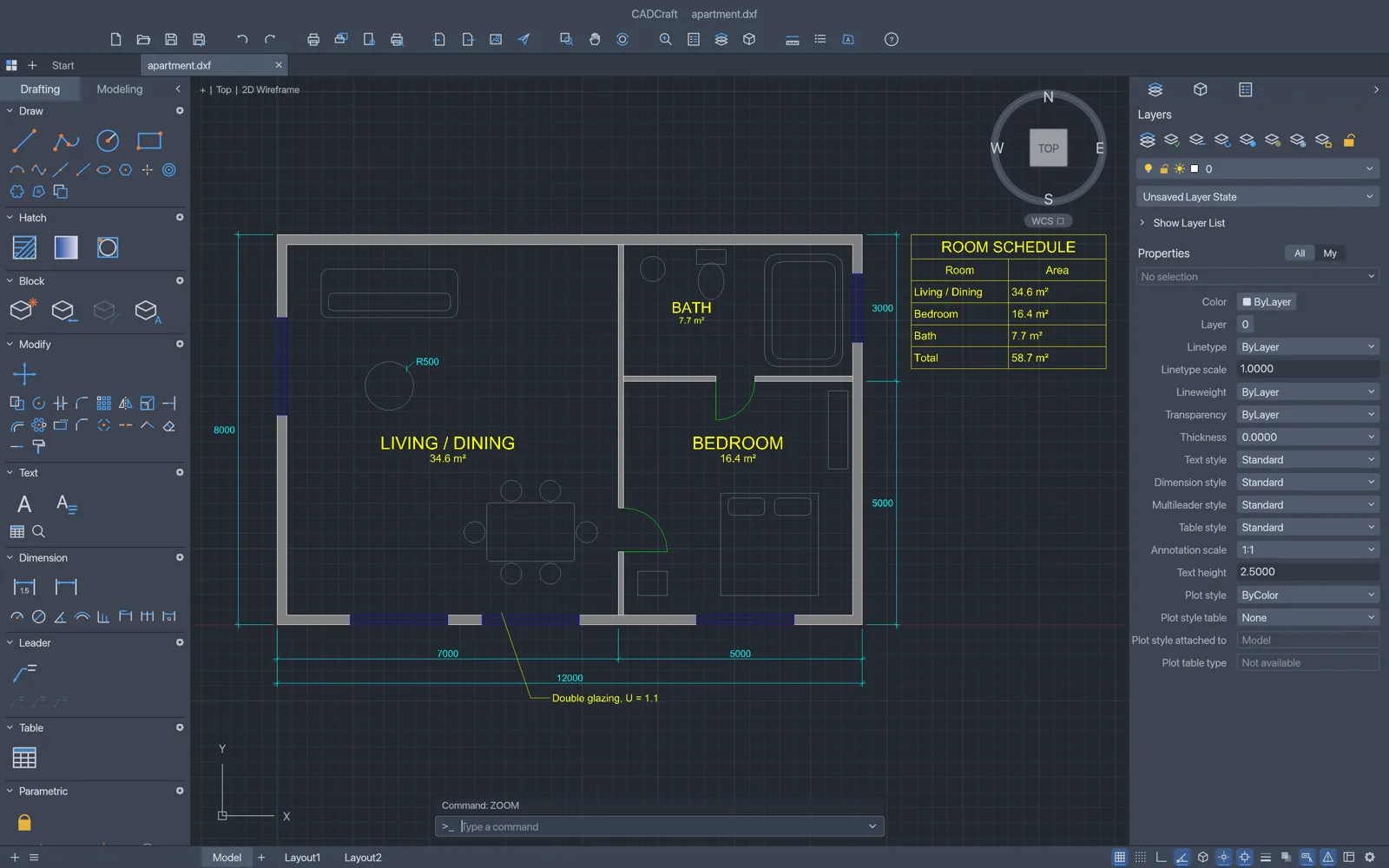
If you drop the DWG itself on the browser editor, CADCraft stops with "DWG files can't be opened in the web build yet; save as DXF". Its desktop app reads DWG through an open-source library called acadrust, and that library isn't part of the browser build.
Open the DWG directly in a desktop app
Two free programs skip the conversion. LibreCAD, a 2D drafting program under GPLv2, opens DWG and edits it like any other drawing. DWG support is a build option in LibreCAD, so save your edits as DXF unless your copy offers DWG when saving.
The CADCraft desktop app is the same program as the browser editor, with DWG added: it opens DWG from R13 to 2018 and saves DWG. Open the file with File › Open…, or convert it from a terminal with the cadcraft-cli tool that ships with the desktop downloads:
cadcraft-cli convert drawing.dwg drawing.dxf
That DXF then opens in the browser editor on any computer. Treat CADCraft's DWG support as early. The project is pre-alpha, its developers haven't yet tested DWG reading on a collection of real AutoCAD files, and one user's 10 MB DWG failed after about two minutes. Saving back to DWG drops any objects CADCraft doesn't model, so keep the original.
Sending it back to an AutoCAD user
AutoCAD opens DXF directly, so the simplest reply is the edited DXF. If the other side insists on DWG, run the DXF back through ODA File Converter with DWG as the output type, or save it as DWG from the CADCraft desktop app. Open the converted file once more before you send it and compare it with the original, layer by layer.
Which route to take
On Windows and only need to read the drawing: DWG TrueView. On a Mac or Chromebook and happy to upload: Autodesk's online viewer. If the drawing must stay on your computer, or you need to change it, the two-step route works on any computer and costs nothing: ODA File Converter to DXF, then the CADCraft editor or LibreCAD. For more file types and the free program that opens each, see which free app opens your file.
FAQ
Can I open a DWG on a Chromebook?
Autodesk's online viewer runs in Chrome, so viewing works if you are fine with the file going to Autodesk. ODA File Converter, DWG TrueView and the CADCraft desktop app have no ChromeOS versions. For editing without an upload, convert the DWG to DXF on any Windows, Mac or Linux computer, then open the DXF in the CADCraft editor on the Chromebook.
Why does the text look different after converting?
If the drawing's text styles use SHX fonts, CADCraft can't read those yet. Text in an SHX style is drawn with CADCraft's own single-stroke font instead, so the letter shapes and widths change while the position and height stay the same.