Open editor
Open source · No install · No upload

Free online CAD, with the command line you know

CADCraft is an open-source 2D drafting app written in Rust, running here in a browser tab. Draw with LINE, OFFSET and TRIM, snap to endpoints and centres, dimension, hatch and lay out sheets, and open or save DXF files. Your drawings stay on your computer.

CADCraft web build v0.5.0 · released Oct 11, 2026 · about 5 MB to load, then opens from cache

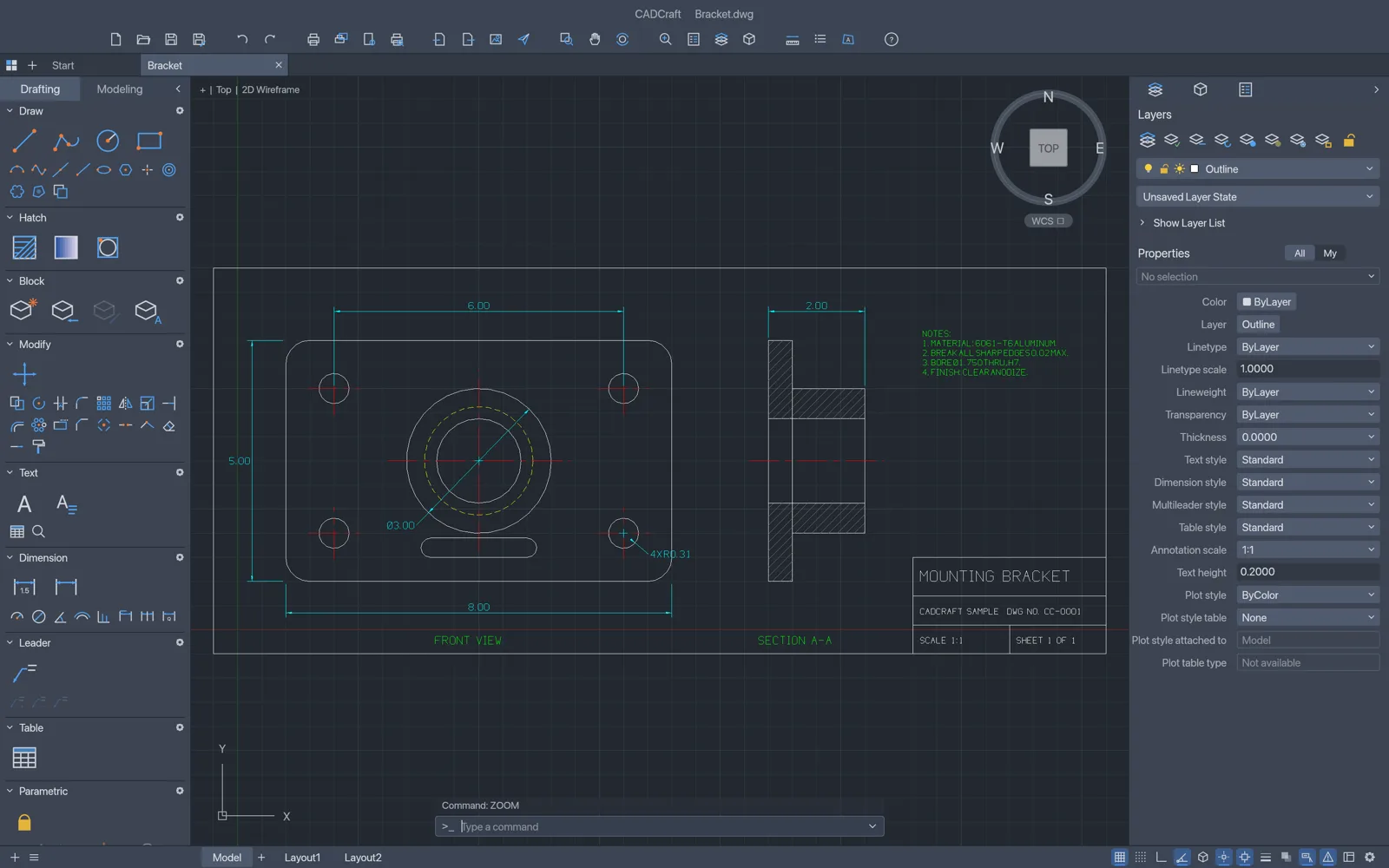
CADCraft with a mounting bracket drawing open: Tool Sets on the left, Layers and Properties on the right, the command line at the bottom
The mounting bracket sample, with Tool Sets, the Properties palette and the command line. Screenshot from the CADCraft project.
Runs on your deviceNothing is uploaded to open, edit or save
DXF R12 to 2018Opens ASCII and binary DXF, saves DXF
AutoCAD-style inputAliases, @dx,dy and @d<a, keywords, snaps
MIT OR Apache-2.0No account, no subscription, no watermark
In the editor

2D drafting in a browser tab, the way CAD users work

Most online CAD viewers only show a file. CADCraft compiles a full drafting engine to WebAssembly, so you can draw and edit too. Start typing at the command line and AutoComplete finds the command.

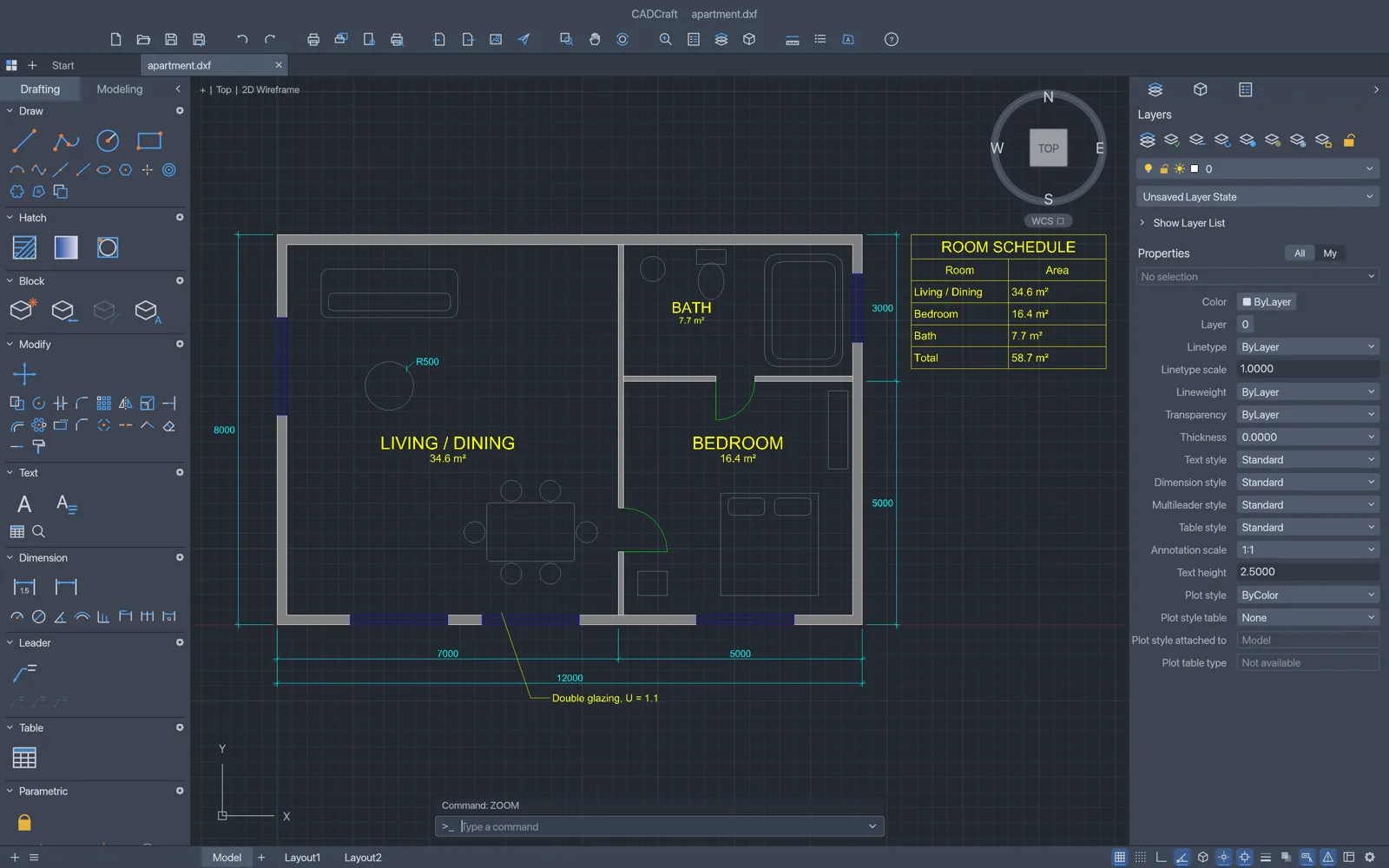
CADCraft with an apartment floor plan open: hatched grey walls, blue windows, green door swings, yellow room names with areas, a room schedule table, a multileader note and cyan dimensions, with Tool Sets on the left, Layers and Properties on the right and the command line at the bottom

The command line you already know

Type L, click two points, type @5<45, press Enter. Prompts offer clickable [Keywords], AutoComplete and aliases; Enter, Space or a right-click repeats the last command. Object snaps, polar tracking, ortho, direct distance entry, window and crossing selection and grips behave the way drafting habit expects.

Screenshot from the CADCraft project
A mounting bracket part drawing in CADCraft: front view with four bolt holes, a bore, centre lines and dimensions, a hatched section view, notes and a title block

Draw, modify, dimension

LINE, PLINE, CIRCLE, ARC, RECTANG, POLYGON, ELLIPSE, SPLINE and text; MOVE, COPY, ROTATE, OFFSET, TRIM, EXTEND, FILLET, CHAMFER, ARRAY and the rest of the Modify set. Every DIM command with dimension styles, associative dimensions that follow the geometry, multileaders, tables, hatches and blocks with attributes.

Screenshot from the CADCraft project
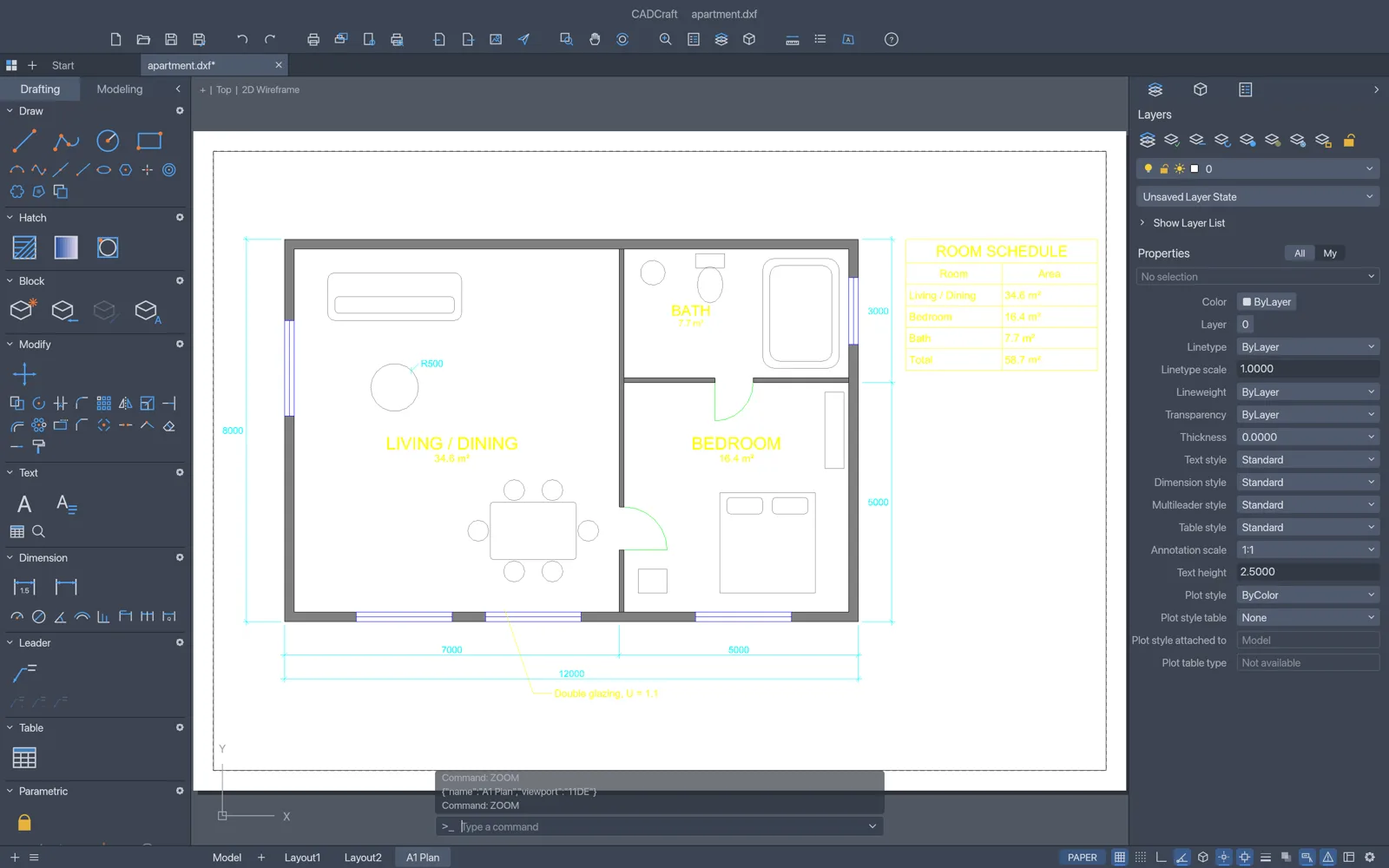
A paper-space layout in CADCraft: a white sheet with a dashed printable area and a viewport showing the apartment plan at scale, with the A1 Plan layout tab selected

Layers, layouts and constraints

A Layers palette and Layer Properties Manager with on/off, freeze, lock, colour and linetype; paper-space layouts with scaled viewports; geometric and dimensional constraints that re-solve after every edit. Open DXF drawings from R12 to 2018 and save them back as DXF.

Screenshot from the CADCraft project
AI drafting · bring your own key

Describe a part, get a DXF you can edit

Open the AI drafting panel next to the drawing, paste an OpenAI, Google Gemini or OpenRouter key, and describe a plate, flange, gasket or floor plan with its sizes. The panel turns the model’s answer into a DXF that opens in CADCraft. It also explains drawings: layers, hole sizes, dimensions, text.

Requests go from your browser to the provider. We never see your key, your drawings or the answers, and we add no markup.

How the AI DXF generator works
  • Draw from textPlates, flanges, gaskets, plans and title blocks as DXF
  • Refine it“Make the holes Ø10” updates the drawing
  • Explain a drawingAsk about any DXF: layers, sizes, parts, cut length
This site

What cadcraft.run adds

The editor is CADCraft’s own web build, byte for byte. Around it we add a few things the bare build doesn’t have.

Always the latest release

Each new CADCraft release is checked against its published SHA-256 checksum and deployed here. You are on v0.5.0.

AI drafting on your own key

Text-to-DXF drawings and answers about your DXF files from OpenAI, Gemini or OpenRouter models, straight from the browser.

A guard for unsaved work

The browser build has no autosave. Once you have drawn something, the page asks before you close or leave it.

Nothing to sign up for

No account, no watermark, no upload. Close the tab and nothing of yours is left on a server.

Getting started

Three steps

  1. Open the editor. The first visit downloads the app, about 5 MB compressed; after that it opens from your browser’s cache.
  2. Open or start a drawing. Drag a DXF onto the window, use File › Open, or start a new drawing and type line at the command line. Files up to 256 MB open in the browser.
  3. Save. File › Save (Ctrl/⌘+S) downloads the drawing as DXF. See the guides to open a DXF file online and to draw in 2D CAD online.

CADCraft is pre-alpha. Expect rough edges, keep the original file, and save before closing the tab: the browser version has no autosave.

FAQ

Questions

Is CADCraft Online free?

Yes. CADCraft is free and open source (MIT OR Apache-2.0), with no account and no subscription, and this site adds no limits of its own. The optional AI drafting panel uses your own AI provider key, so any AI usage is billed by your provider, not by us.

Are my drawings uploaded anywhere?

No. CADCraft runs in your browser with WebAssembly. Files open from your disk and save back as downloads; nothing reaches our servers. The only exception is the AI panel, which sends your request, or a text summary of the drawing you pick, straight to the AI provider whose key you entered.

Can it open DWG files?

Not in the browser. The web build reads and writes DXF only (DXF R12 to 2018 opens, saves are DXF R2000). The CADCraft desktop app opens DWG files from R13 to 2018 and saves DWG, through the open-source acadrust library; its developers say DWG support is still partial, so keep your originals.

Does it save my work automatically?

No. The browser version has no autosave, so save with File › Save (Ctrl/⌘+S), which downloads a DXF, before you close the tab. Once you have worked in the editor, this page asks before you leave it.

Can I print or export to PDF?

Not from the Print dialog in the browser build yet. Type saveas {"path":"plan.pdf"} at the command line instead: it downloads a PDF of model space fitted to the drawing. The same works for .svg and .png. Plotting layouts with page setups works in the desktop app.

Is it a replacement for AutoCAD?

Not yet, and its developers say so. CADCraft is an independent, clean-room project at the pre-alpha stage. By their own count, about half of the menu items of AutoCAD for Mac have a working command, and they estimate it is about 38% ready for real work. It is a good fit for viewing and editing DXF files, 2D drafting practice and quick drawings.

Which browsers work?

A current Chrome, Edge, Firefox or Safari on a desktop or laptop. CADCraft draws with WebGPU where the browser has it and falls back to WebGL2 on its own. If drawing misbehaves, open the editor with ?webgl at the end of the address to force WebGL2.

What languages does the interface support?

English and Ukrainian. Choose Edit › Interface Language; Auto follows your browser’s language. The choice is remembered in your browser.

Open a DXF and start drafting

Free, private, and already loaded on your next visit.

Open the editor