Steps to open a DXF
- Open the editor at cadcraft.run/editor. The first load downloads the app (about 5 MB); later visits open from cache.
- Drag the DXF from your desktop onto the CADCraft window, or choose File › Open… (Ctrl/⌘+O) and pick it. Each file opens in its own drawing tab.
- Fit it to the screen: type
zoom eat the command line and press Enter. Scroll to zoom, drag with the middle button to pan, or pinch on a trackpad. - Switch to a layout with the tabs at the bottom (Model, Layout1…) to see the sheets the drawing was set up to print on.
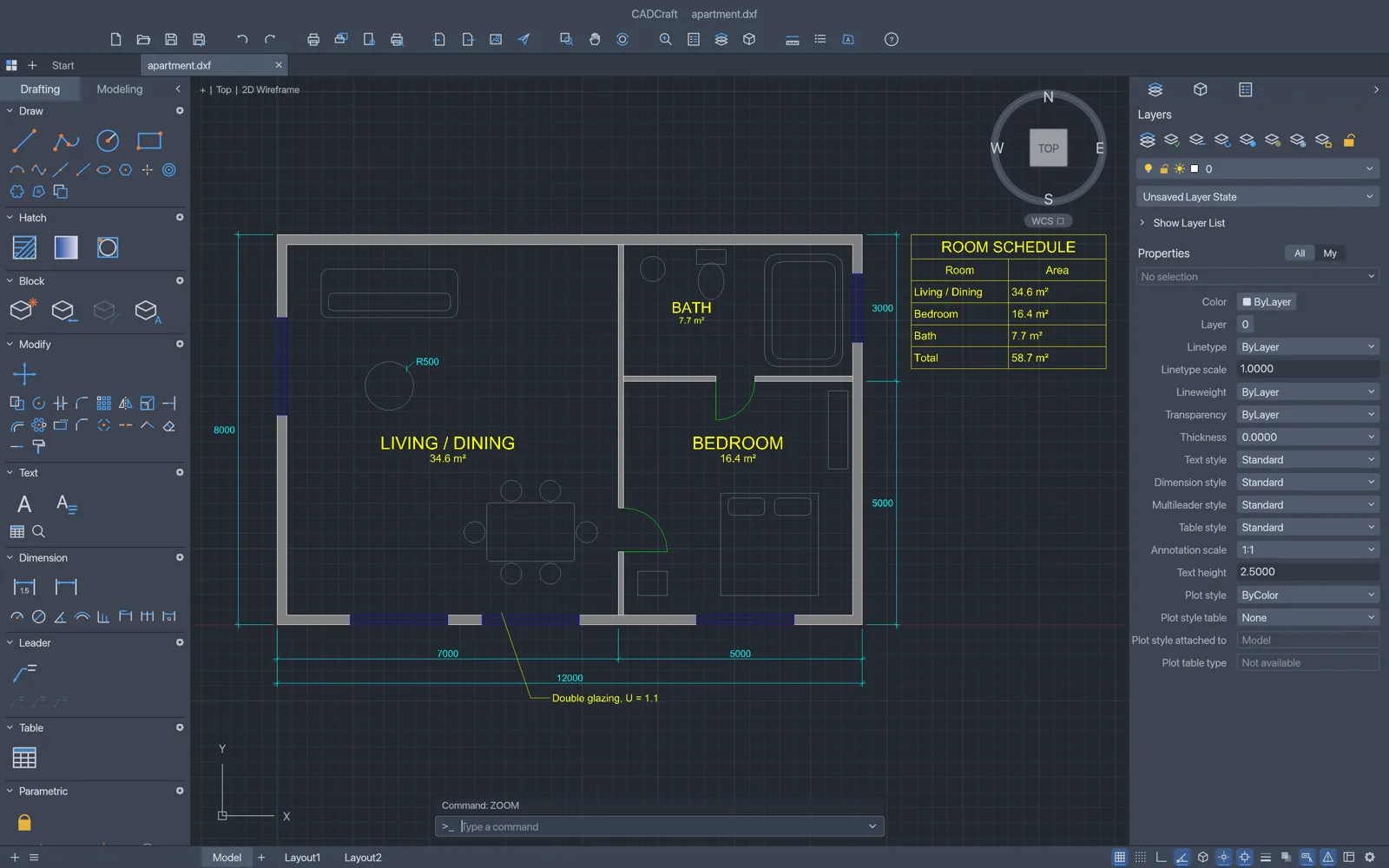
How do you find your way around a drawing?
- Layers: the Layers palette turns layers on and off, freezes and locks them; Format › Layers opens the Layer Properties Manager. Isolate Layer (
layiso) hides everything except the layer of the object you pick. - Properties: select an object to see its layer, colour, linetype and geometry in the Properties palette.
- Find text: Edit › Find… searches the drawing’s text.
How do you measure distances and areas?
dist(ordi): pick two points for the distance and angle between them. Object snaps (F3) lock onto endpoints, midpoints, centres and intersections.area(oraa): pick corner points, or choose an object, for area and perimeter.list(orli): select objects for their full geometry, such as a circle’s radius or a polyline’s length.id: pick a point for its coordinates.
Prefer to ask? Save the drawing as DXF and open the AI panel’s Explain tab: it lists layers, hole sizes, dimension values and text, and answers questions about them.
How do you save or convert it?
- DXF: File › Save (Ctrl/⌘+S) downloads the drawing as DXF R2000. Choose a new name with
saveas {"path":"plan-edited.dxf"}at the command line. - PDF, SVG or PNG: type
saveas {"path":"plan.pdf"}(orplan.svg,plan.png). The file downloads, showing model space fitted to the drawing; PNG is 2400 × 1600 pixels. The drawing keeps its own name.
The Print dialog doesn’t produce a file in the browser build yet; plotting layouts with page setups to PDF works in the desktop app.
What about DWG files?
The browser build reads DXF only. If someone sends you a DWG, open it in the CADCraft desktop app and save it as DXF, or convert it with the command-line tool: cadcraft-cli convert drawing.dwg drawing.dxf. Then open the DXF here.
Tips
- Save before closing the tab. The browser version has no autosave; this page asks before you leave once you have worked in the editor.
- Keep the original. CADCraft is pre-alpha, and objects it doesn’t model are not written back on save.
- Graphics trouble? Open the editor with ?webgl to force WebGL2 instead of WebGPU.
- Next: draw and edit in 2D with commands.
FAQ
Is my DXF uploaded when I open it here?
No. CADCraft reads the file in your browser and draws it on your device. Nothing about the drawing reaches cadcraft.run’s servers.
Which DXF versions open?
ASCII DXF from R12 to 2018, and binary DXF from R13 on. Files up to 256 MB open in the browser. Saving writes DXF R2000, which current CAD programs read.
Can I open a DWG file online here?
Not in the browser: the web build shows “DWG files can’t be opened in the web build yet; save as DXF”. The CADCraft desktop app opens DWG from R13 to 2018, and cadcraft-cli converts DWG to DXF from the command line.
Why does the text look different from the original?
In the browser CADCraft can’t use the fonts installed on your computer, so drawing text is drawn with its own single-stroke drafting font. Positions and sizes are kept. The desktop app uses installed TrueType fonts.
Will saving keep everything in the file?
Not always. Objects CADCraft doesn’t model yet are not written back when you save, so keep the original file and save edits under a new name if the drawing came from another program.