Start a drawing
- Open the editor at cadcraft.run/editor.
- Start a drawing. Use File › New Drawing… (Ctrl/⌘+N), or type
new {"metric": true}at the command line for metric defaults. Draw at full size: 1 unit = 1 mm. - Find the command line at the bottom of the window. Click in the drawing area, then just start typing; AutoComplete shows matching commands and aliases.
How do you type coordinates?
x,yis an absolute point, such as120,80.@dx,dyis relative to the last point:@120,0is 120 to the right.@distance<angleis polar:@50<45is 50 units at 45°.- With ortho (F8) or polar tracking (F10) on, point the mouse in a direction and type a distance (direct distance entry).
- Press Enter or Space to finish or repeat the last command, and Esc to cancel. Words in [brackets] at a prompt are options you can click or type.
Draw a plate with holes
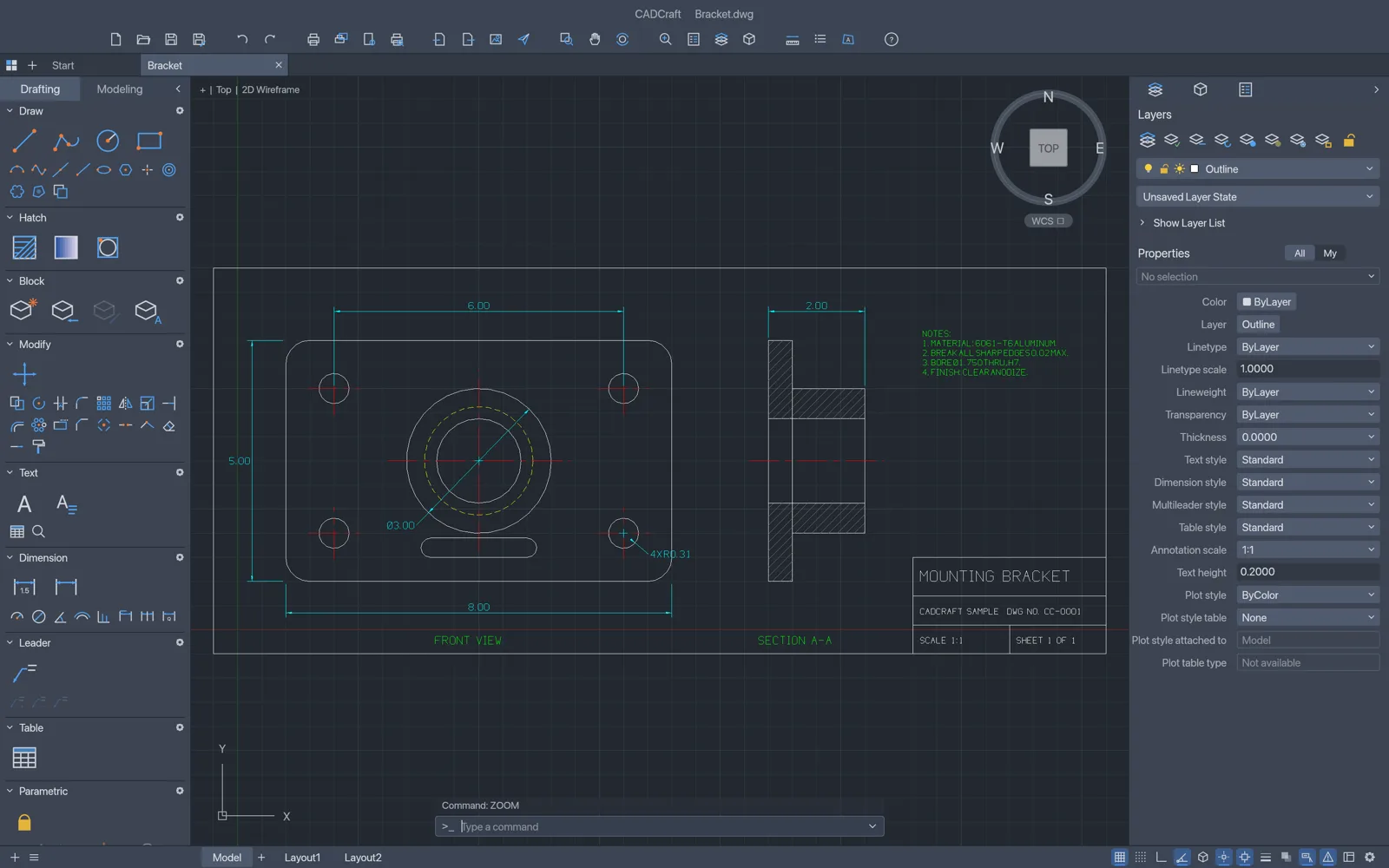
rectang 0,0 120,80draws the 120 × 80 outline. (line 0,0 @120,0 @0,80 @-120,0 cdoes the same with lines;ccloses the shape.)circle 60,40 15adds a Ø30 bore at the centre;circle 15,15 4adds the first Ø8 hole.copythe small hole: select it, press Enter, type15,15as the base point, then105,15,105,65and15,65for the other three, and Enter to finish. (After the first copy,@points count from the last point, not the base.)fillet, thenrand10for a 10 mm radius; runfilletagain, choose the Polyline option (p) and pick the outline to round all four corners at once.zoom efits everything on screen.
offset makes parallel copies (walls, borders), trim and extend cut and stretch to other objects, mirror and array repeat geometry, and chamfer bevels corners. Each prompts for what it needs.
Layers and dimensions
- Open Format › Layers (
la) to make layers such as OUTLINE, CENTER and DIM, with a colour and linetype each. Select objects and pick a layer in the Properties palette to move them. dimlinear 0,0 120,0 60,-10dimensions the bottom edge: two points, then where the dimension line goes.dimradiusanddimdiameterlabel arcs and circles; dimensions made by picking an object follow it when it changes.hatchfills a closed area: click inside it.
Save your drawing
File › Save (Ctrl/⌘+S) downloads it as a DXF file that other CAD and CAM programs open. For a PDF, SVG or PNG of the drawing, type saveas {"path":"plate.pdf"} with the extension you want. To continue later, open the DXF again; the guide to opening DXF files online covers the details.
Tips
- Save often. The browser version has no autosave; this page asks before you leave once you have drawn something.
- Start from a description. The AI DXF generator can draft a first version from a sentence with sizes, which you then finish with these commands.
- Practice on the sample. Open the sample drawing to see layers, dimensions and hatches set up.
- Need DWG or plotting? The desktop app opens and saves DWG and plots layouts.
FAQ
Do I need to know AutoCAD to use CADCraft?
It helps, because CADCraft follows the same command-line workflow, but the Tool Sets on the left and the menus reach the same commands with a click. Start typing a command name and AutoComplete shows the matches.
Millimetres or inches?
Drawing units are just numbers until you decide what they mean. For a metric drawing, type new {"metric": true} at the command line to start one with metric defaults, and draw 1 unit = 1 mm. Format › Units sets how numbers are shown.
Can I undo?
Yes. Ctrl/⌘+Z undoes and the u command steps back one command at a time. Undo works on every drawing command and edit.
How do I get a PDF of my drawing?
Type saveas {"path":"part.pdf"} at the command line. It downloads a PDF of model space fitted to the drawing. The Print dialog doesn’t produce a file in the browser build yet; the desktop app plots layouts to PDF.